What's New in PhobOS Emulator Manager?
A look at the latest features and improvements in the PhobOS Emulator Manager.
There have been some exciting developments in the PhobOS Emulator Manager recently. Here are the news and updates that you should know about.
arm64 Support!
Notebooks with arm64 architecture are becoming more and more common, and it is important to have support for running the PhobOS emulator on these devices. With this update, the Phobos Emulator Manager now supports running the PhobOS emulator on arm64 devices. This means that you can now run the latest version of the PhobOS emulator on your arm64 notebook without any issues.
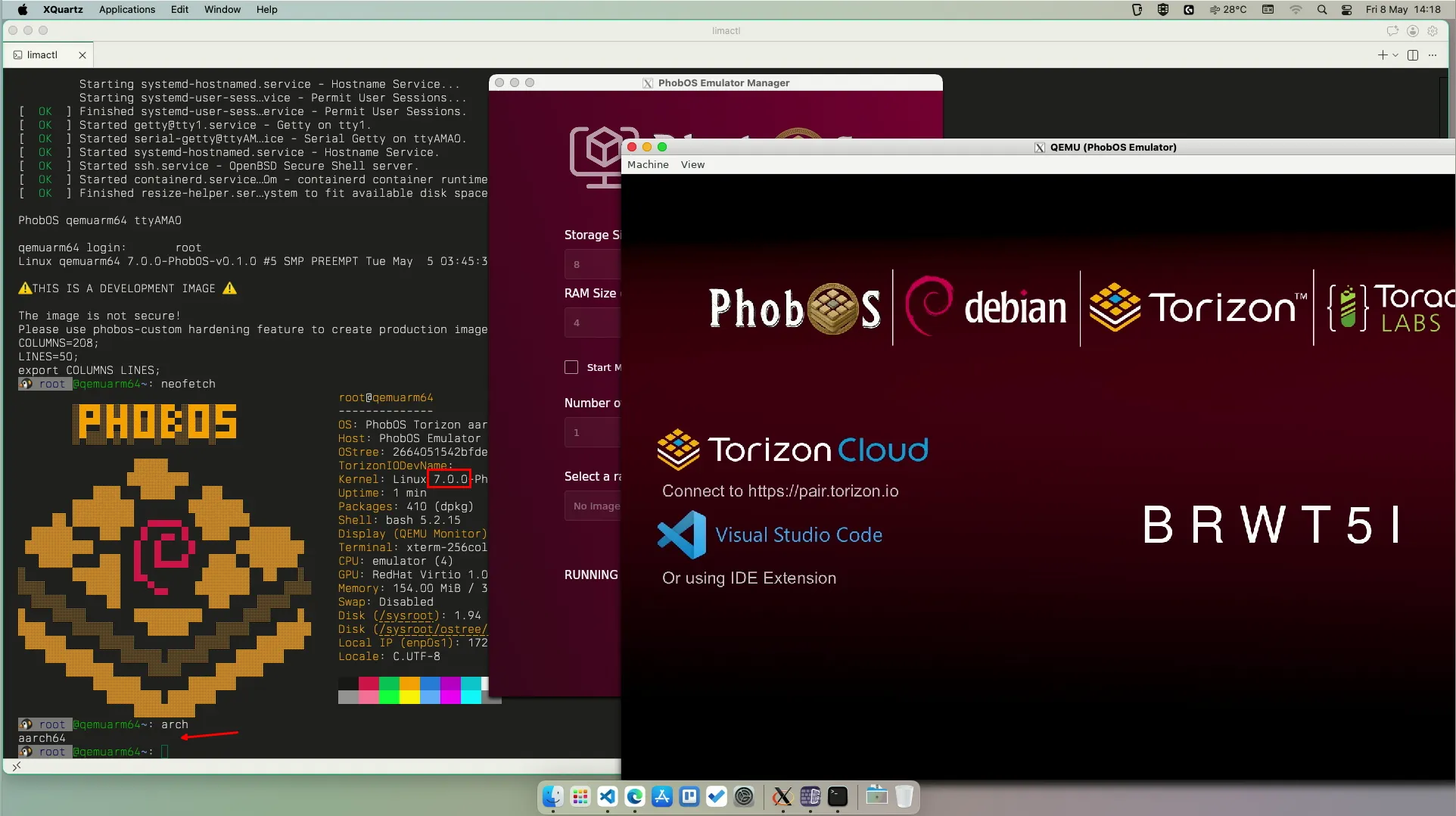
PhobOS qemu arm64 Support!
Not even PhobOS Emulator now runs in arm64 devices, but PhobOS itself has been optimized to support qemu arm64. Now when you run the PhobOS emulator on an arm64 host, it will automatically use the arm64 version of the PhobOS image, which if you have KVM support, will run natively on your arm64 notebook. This means that you can now experience the full performance of the PhobOS emulator on your arm64 device without any emulation overhead.
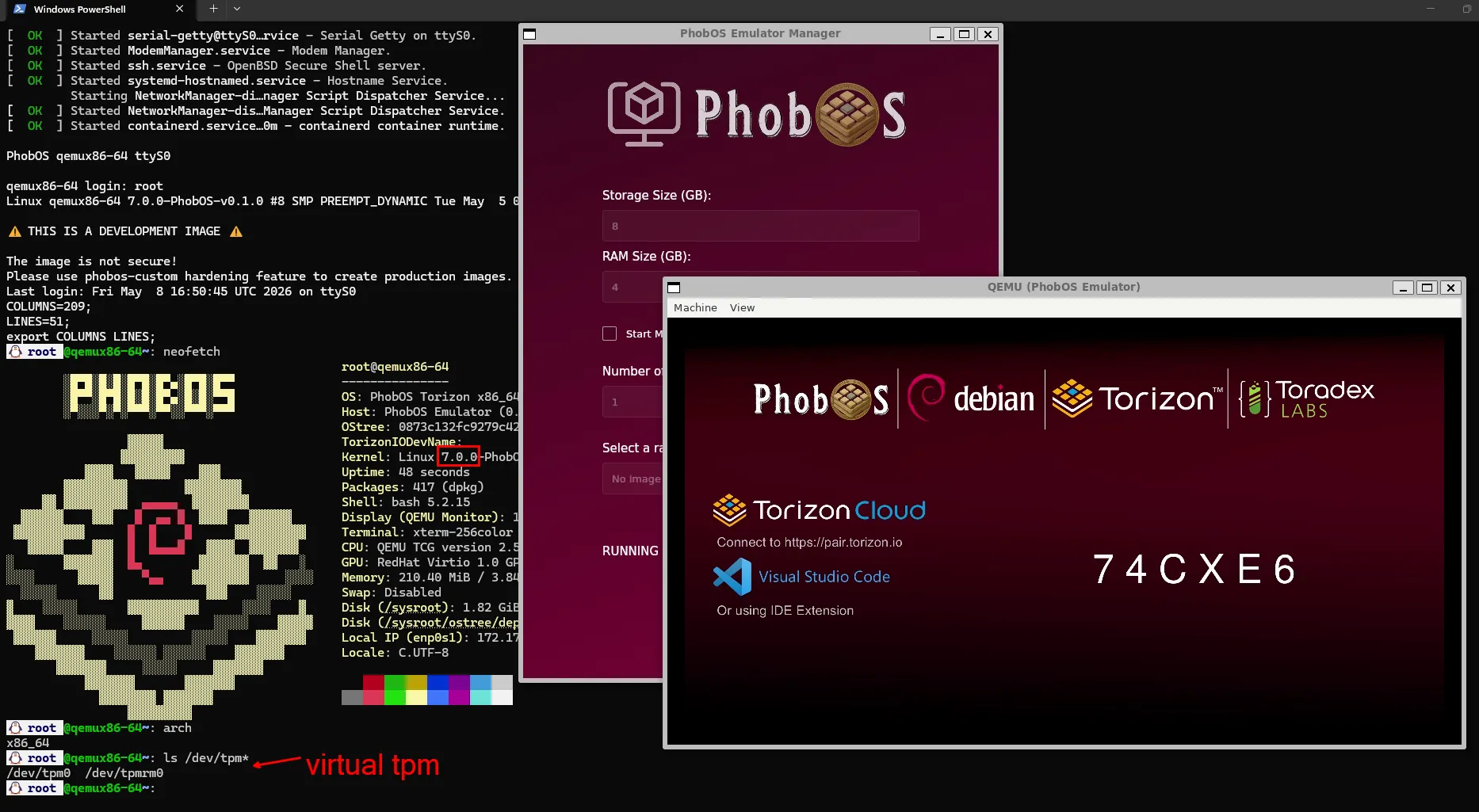
TPM 2 Support
The PhobOS Emulator Manager now supports TPM 2.0, on both x86_64 and arm64 architectures. This means that now you can use the PhobOS emulator to test and develop applications that require TPM 2.0 support. This is especially useful for testing security features and applications that rely on TPM 2.0 for secure storage and cryptographic operations.
Select OS Image from File System
Phobos Emulator Manager downloads automatically the latest version of the PhobOS optimized images for your host architecture. However, you can also select and run any compatible image from your file system. This is especially useful for testing custom images, or even Torizon OS images, or older versions of the emulator.
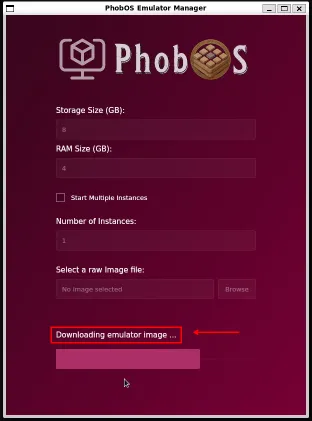
Before this update the only way to run an image from the file system was to pass the absolute path as argument to the phobos-emulator-manager command. Now, you can select an image from the file system using the UI file dialog. This makes it much easier to run images that are not embedded in the application version. Also, you do not need to close the application and run it again with the image path as argument, you can just select the image from the UI and it will start running.
Why PhobOS Emulator Manager?
Other OS providers offer emulators, but they are often limited and does not provide the same level of experience as the PhobOS Emulator. At most of the times, they are just a terminal interface to run a qemu image, without support for display, input, or other features that are critical for testing and developing applications for embedded Linux devices.
On PhobOS Emulator we had the care to optimize the images to support KVM for the best performance possible, and also to provide the full experience of a real embedded Linux device, with support for:
- Display and GPU virtualization;
- Input touch screen pointer virtualization;
- Input keyboard virtualization;
- TPM v2.0 virtualization;
- Bootloader splash screen;
- Linux splash screen;
- Linux application display support;
Conclusion
The PhobOS Emulator Manager has received some significant updates that enhance its functionality and usability. With support for arm64 architecture, TPM 2.0, and the ability to select OS images from the file system, the PhobOS Emulator Manager is now more versatile and powerful than ever before. Whether you are a developer looking to test your applications on different architectures or a security engineer interested in TPM 2.0 features, the PhobOS Emulator Manager has something to offer for everyone.
Did your actual OS provider gives you all these possibilities? No? Maybe it’s time to give PhobOS a try!
I hope AI does not take our jobs ❤️